
College Football Discord Bot: Live Scores and Touchdown Alerts
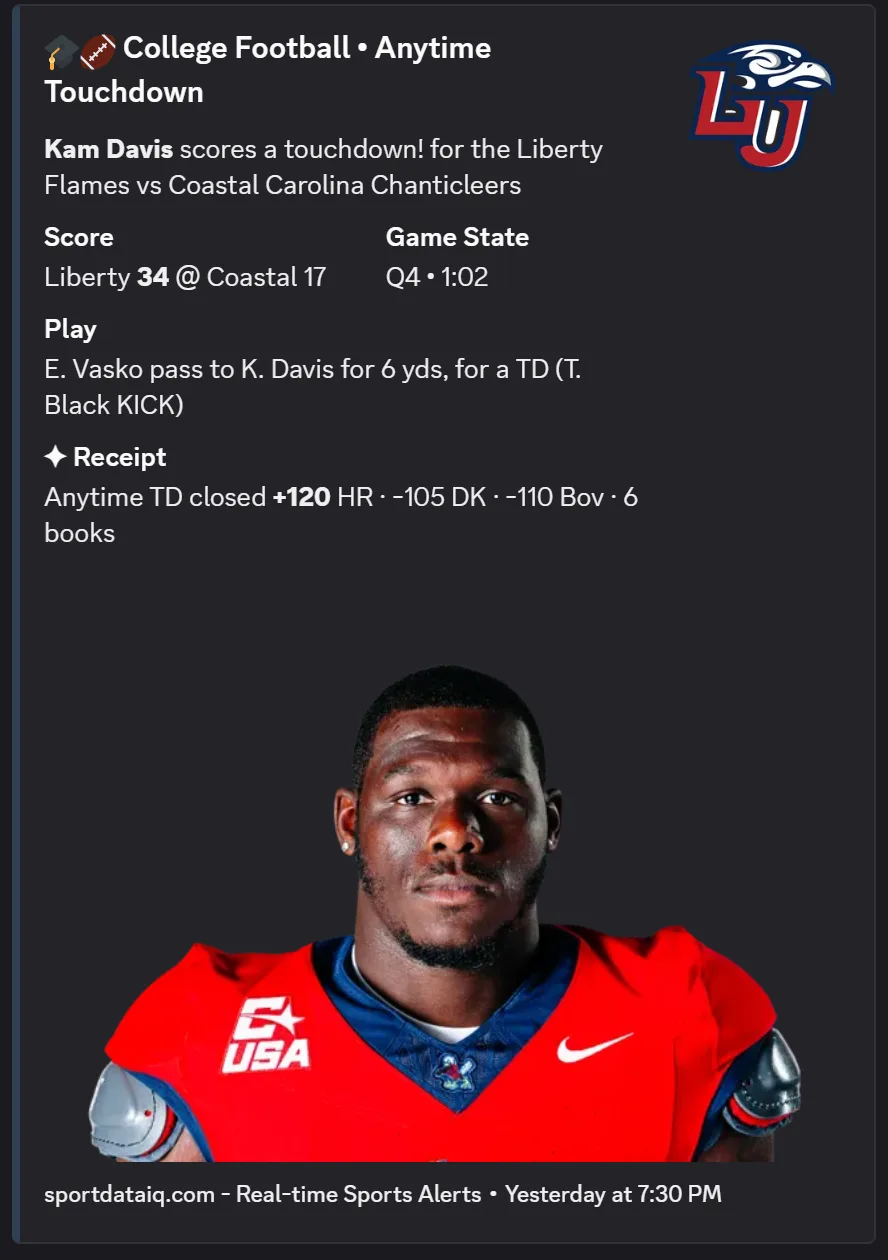
SportDataIQ tracks NCAA Division I football inside Discord — Saturday scoreboards across the full slate, standings, eleven statistical leaderboards including QB rating, and both first and anytime touchdown alerts with player headshots.
- Teams
- FBS Division I
- Season
- August – January
- Alert markets
- 2
- Stat leaderboards
- 11
- Score refresh
- Every 30s
- Transactions
- No
Official league data · polled every 30s · via DataStreak
College Football scoring alerts
Point any market at any channel. One rule per channel, paused any time.
Fires once per game, on the first touchdown scored by either team.
Great for rivalry-week pools and bowl season pick-ems.
Fires on every touchdown scored in the game, by either team.
Keeps a Saturday game-day channel alive across a whole slate.
The top 3 player-prop streaks on DataStreak's live board, refreshed every 5 minutes — and postable to a channel once a day at the hour you choose.
Every alert carries the player headshot, team logo, score, game state and the official play text. Rules live in the dashboard.
11 stat leaderboards
Live in the /sportdataiq menu, no setup.
- Passing Yards
- Passing TDs
- QB Rating
- Rushing Yards
- Rushing TDs
- Receiving Yards
- Receiving TDs
- Receptions
- Tackles
- Sacks
- Interceptions
- Live scores
- Scoreboard with status, clock, and box-score expansions, refreshed every 30 seconds.
- Standings
- Conference standings with records, win %, and streaks.
- Transactions
- Not available for College Football — scores, standings, leaderboards, and alerts all work normally.
Live in three steps
About 30 seconds from invite to first alert.
- 01
Add the bot
Click Add to Discord and authorize it for your server. You need the Manage Server permission.
- 02
Run /sportdataiq
Live College Football scores, standings, and leaderboards work immediately — no configuration.
- 03
Create a rule
In the dashboard pick College Football, choose First Touchdown, and select the channel. Send a test before going live.
More for your College Football server
Games, Premium tools and pages, each with its guide.
Pick'em on every College Football game: members pick winners in Discord, the bot grades them at the final and keeps the standings.
Any College Football player's record against every line the books post, with the alt-line ladder and price alerts by DM.
Questions
What's the best College Football Discord bot?
It depends on what your server wants. SportDataIQ is free and covers the College Football end to end: live scores, First Touchdown and Anytime Touchdown alerts, standings, stat leaders and Pick'em, with Premium ($5/month per server) adding odds, /hitrate. CFBCBot posts game-day scoreboards, and Layup posts live scores and big plays. If you want scores and alerts for one league next to the others you follow, one bot for all six is simpler.
Is the college football Discord bot free?
Yes. Live NCAAF scores, standings, leaderboards, and touchdown alerts (up to 2 alert rules per server) are free. An optional Premium tier ($5/month per server) adds unlimited alerts, a capper picks feed with automatic grading, live odds and props, and market alerts — everything else on this page works without it.
What college football alerts can I set up?
Two markets: First Touchdown, which fires once per game on the opening touchdown, and Anytime Touchdown, which fires on every touchdown scored.
How fast are college football touchdown alerts?
Alerts are typically delivered 30–90 seconds after the play. SportDataIQ polls the official league feeds every 30 seconds, detects the scoring event, and pushes a rich embed to your channel.
What NCAAF stats does the bot track?
Eleven categories: passing yards, passing TDs, QB rating, rushing yards, rushing TDs, receiving yards, receiving TDs, and receptions on offense; tackles, sacks, and interceptions on defense. QB rating is unique to the college football leaderboards.
Does it cover every FBS team?
Coverage follows the Division I FBS scoreboard, so the full Saturday slate is available including rivalry week and bowl games.
Does the bot show college football transactions?
No. Roster transactions are not available for college football or WNBA. Scores, standings, leaderboards, and touchdown alerts all work normally.
Where does the college football data come from?
Official league data feeds, polled every 30 seconds and normalized through DataStreak.
How do I add the college football bot to Discord?
Click Add to Discord, authorize the bot, then run /sportdataiq. Create touchdown alert rules at sportdataiq.com/dashboard — you need the Manage Server permission.
Where can I find College Football Discord servers to join?
The SportDataIQ Server Directory lists College Football Discord servers that run the bot, at https://sportdataiq.com/servers/ncaaf: featured servers first, then by members. ✦ Premium servers have a Join button that opens Discord’s own invite; free servers are listed by name.
Bring the College Football season into your server.
Free, no credit card, about 30 seconds to set up. Scores and leaderboards work the moment the bot joins; alerts take one rule.